
Kinect to webGL interactive Self-Portrait WITH AI
The Brief
I wanted a portrait for my website that wasn't a photograph. Not a 3D render. Not an illusration. Something that communicated who I am and what I do in a single interactive element: a real-time point cloud captured with a depth camera, rendered in the browser, reactive to the visitor's cursor.
The piece needed to work as a responsive element on a Squarespace homepage, scaling naturally from desktop to mobile. It needed to be lightweight enough to host on GitHub Pages and embed via iframe. It needed to feel alive without being distracting. And it needed to run on mobile.
Most importantly, it needed to be undeniably mine — built from a volumetric scan, leveraging skills I use daily in experiential and immersive work, delivered through a medium that most people have never seen used this way on a personal website.
Capture Pipeline
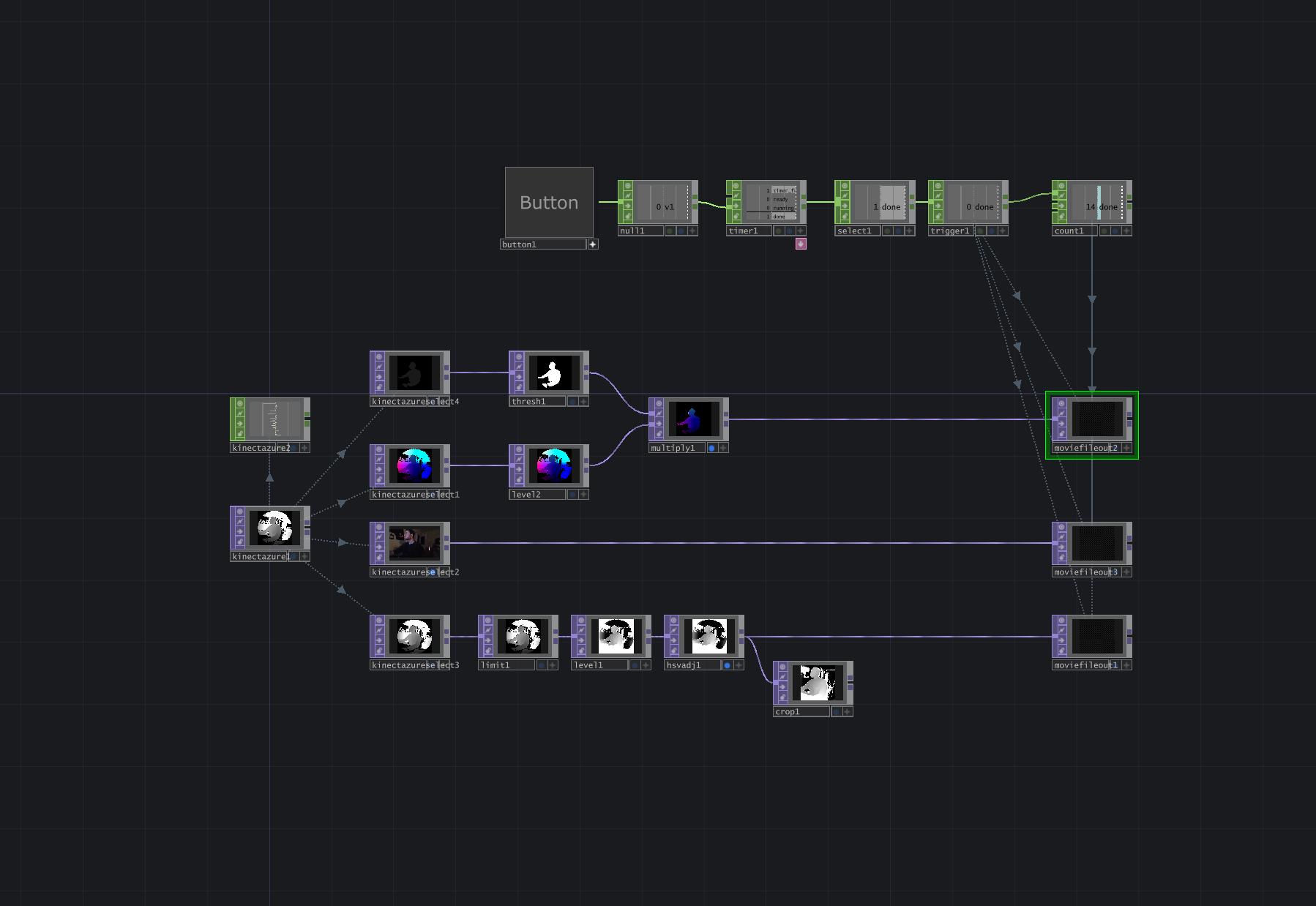
Hardware: Azure Kinect DK
The capture source is a Microsoft Azure Kinect DK running in Wide Field of View (WFOV) unbinned mode at 1024×1024 resolution. This mode gives the widest angular coverage and the highest native depth resolution the sensor offers. The depth stream outputs 16-bit values representing distance from the camera in millimeters.
Processing: TouchDesigner
TouchDesigner handles the Kinect input, body isolation, and point cloud generation. The Azure Kinect CHOP receives the depth and body index streams. The body index (player segmentation) is critical — it isolates my silhouette from the environment, removing the room, desk, ceiling, and any background noise at the sensor level. This means the exported point cloud contains only my body, with zero background cleanup needed downstream.
The depth-to-point-cloud conversion happens through TD's built-in Kinect Azure Point Cloud functionality, which reprojects each depth pixel into 3D space using the camera's factory-calibrated lens intrinsics. The output is a 1024×1024 image where each pixel's RGB channels encode the X, Y, and Z position of that point in meters. This is exported as a 16-bit float EXR file
Why EXR Over PNG with lossless compression
Early in the process, I experimented with 8-bit and 16-bit PNG exports of the point cloud data. The results were visibly inferior. An 8-bit PNG quantizes each axis to only 256 levels across the full spatial range, which translates to roughly 9mm of positional precision. At that resolution, nearby points on the face collapse to identical grid positions, creating visible stacking artifacts — clusters of 4+ particles occupying the same coordinate. Facial detail disappears.
The 32-bit EXR preserves sub-millimeter precision. The touch network converts this to 16bit for web delivery, the final precision is 0.03mm per axis — three orders of magnitude finer than 8-bit, and completely invisible at any viewing scale. The bit depth of the source data directly determines whether the piece reads as a recognizable person or an abstract blob.
Creative Direction
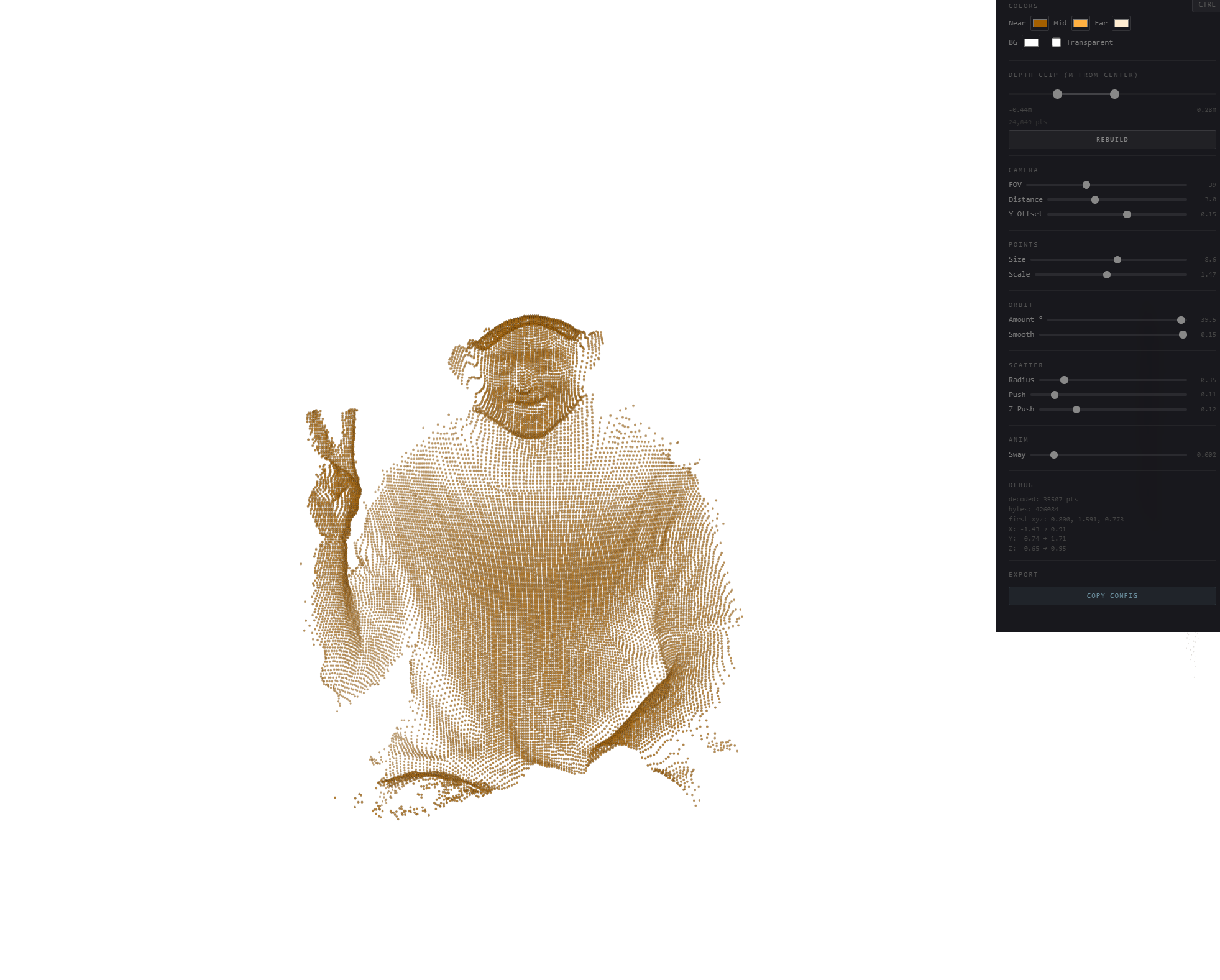
Aesthetic Decisions
The color palette went through multiple iterations. Early versions used a warm amber three-color gradient (near/mid/far) that gave the cloud a dusty, organic quality. The final version uses a two-color gradient — deep teal (#244E60) at the near surface to bright blue (#288FE3) at the far edges — on a transparent background. The reduction from three colors to two was a deliberate refinement: fewer parameters means more direct control over the depth-to-color mapping, and the teal-to-blue ramp reads as clean and technical without being cold.
The depth remap system gives me levels-style control over how the gradient maps to the 3D geometry. Near Point, Far Point, and Gamma allow me to shift where colors break across the face, shoulders, and hands — essentially art-directing the lighting of the point cloud after the fact.
Interaction Design
The interaction model has three layers, each designed with specific motion principles:
Camera breathing: A slow sinusoidal orbit drift (±14° at 0.5 speed) that runs continuously, giving the cloud a living, breathing quality even with no interaction. This is the most important motion in the piece — it communicates that this is a 3D object, not a flat image, before anyone touches it.
Mouse orbit + scatter: Moving the cursor orbits the camera up to ±40° around the cloud, revealing the full 3D geometry. A secondary scatter effect pushes nearby particles away from the cursor position with a subtle radius (0.37) and light force (0.08), adding a tactile quality without disrupting the form. When the cursor leaves, everything eases back to rest on an exponential decay curve with a slow return speed (0.024) — fast initial movement that decelerates smoothly as it approaches the resting state. No linear interpolation, no snapping.
Double-click dissolve: A hidden moment of delight. Double-clicking triggers a dissolve-and-reform animation where every point explodes outward along a pre-computed random unit sphere vector, peaks, then reconverges back to its exact original position. The animation follows a quadratic ease-out-in curve with opacity fading at the peak.
Motion Philosophy
Every animated value in this piece uses non-linear easing. The mouse activity fades in via exponential approach and fades out via exponential decay. The orbit follows the cursor with configurable smoothing and returns with a separate, slower rate. The dissolve uses quadratic ease-out-in. There is no linear interpolation anywhere in the interaction system.
This is where my background in motion design informed every technical decision. The difference between a point cloud that feels like a tech demo and one that feels like a designed piece is entirely in the easing curves, the timing, and the transitions between states.
Technical Implementation
Data Pipeline
Kinect Azure → TouchDesigner: WFOV unbinned 1024×1024 depth + body index streams via Azure Kinect SDK
TD point cloud export: 32-bit float EXR with XYZ positions encoded in RGB channels, player-indexed (body only)
Python processing: OpenEXR decode → point extraction at step=3 (~30k points) → centroid centering → uint16 quantization per axis
Web embedding: uint16 binary → base64 string → inline in HTML. Browser decodes to Float32Arrays via DataView at load time. Total payload: 235KB point cloud, 254KB complete file.
Renderer
The renderer is a single-pass WebGL point sprite system. Each point is a vertex with position (vec3), depth (float for color mapping), a random seed (float for size variation and dissolve direction), and a pre-computed dissolve direction (vec3). The vertex shader handles orbit/scatter displacement and dissolve animation. The fragment shader draws soft circular sprites with a two-color depth gradient and alpha falloff.
Perspective projection with a real camera model (47° FOV, 1.8 distance, -0.03 Y offset in the final tuned configuration) gives proper parallax and depth-based point size attenuation. Points closer to the camera render larger.
Mobile Optimization
Mobile detection at load time triggers three adaptations: point count is halved (skip every other point during cloud build), the device pixel ratio is capped at 1.5× instead of 2×, and touch interaction uses a tap-and-hold model — casual touches pass through to page scrolling, only a 300ms hold activates orbit/scatter.
Secret Control Panel
A hidden control panel (Ctrl+Shift+K) exposes every configurable parameter in the renderer: color gradient, depth remap, camera position, point size, orbit behavior, scatter radius/force, breathing amplitude, and dissolve force/duration. Includes a "Copy Config" button that serializes the current state to JSON for updating the production file.
Deployment
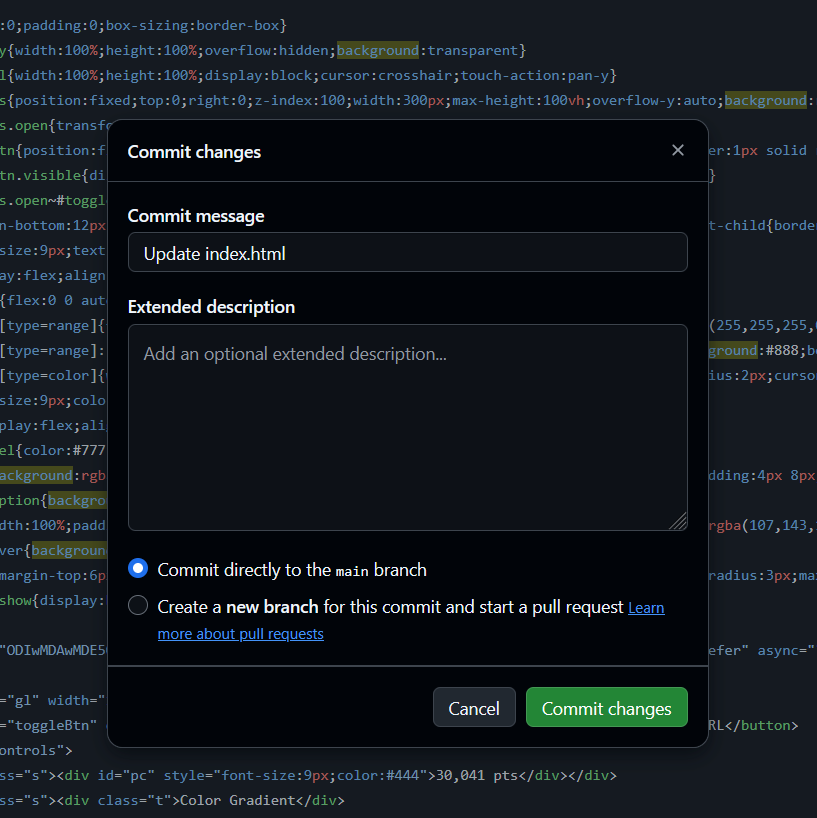
Hosting
The single index.html file is hosted on GitHub Pages via a public repository. Free, CDN-backed hosting with no build step — pushing a commit to main triggers automatic redeploy within 1–2 minutes. The repository doubles as version control for every iteration.
Embedding
The point cloud is embedded on the Squarespace homepage via an iframe inside a Code Block. The transparent background (WebGL canvas alpha + CSS background:transparent on html/body) allows the piece to sit seamlessly against any site background.
The iframe uses viewport-relative height (60vh) rather than percentage-based height. This was a deliberate decision after debugging CSS height inheritance: height:100% fails in Squarespace because its internal wrapper divs don't have explicit heights, so the browser can't compute what "100% of the parent" means. Viewport units bypass this — 60vh means "60% of the screen height, always" regardless of the parent chain.
AI as a Production Tool
This project was built in collaboration with Claude, used as a real-time development environment. The AI handled code generation, data processing, deployment guidance, and iterative implementation. I directed the creative decisions, the technical architecture, the interaction model, and the quality bar.
What made this work wasn't the AI writing code. It was knowing what to ask for. Every decision was informed by direct experience: understanding that 8-bit quantization would destroy facial detail because I know what bit depth means in practice. Knowing that the Azure Kinect's WFOV mode outputs a circular FOV pattern. Recognizing that a linear interpolation on mouse-leave looks wrong because I've spent years keyframing easing curves.
The entire project — from first prototype to live deployment on Squarespace — was completed in a single extended working session. But the reason it's good isn't speed. It's that every iteration was directed by someone who knew exactly what the output should feel like, could diagnose why it didn't, and could articulate what needed to change in terms the tool could act on.
This is the model for creative-technical AI collaboration: domain expertise driving the tool, not the tool driving the output.
Iteration Log
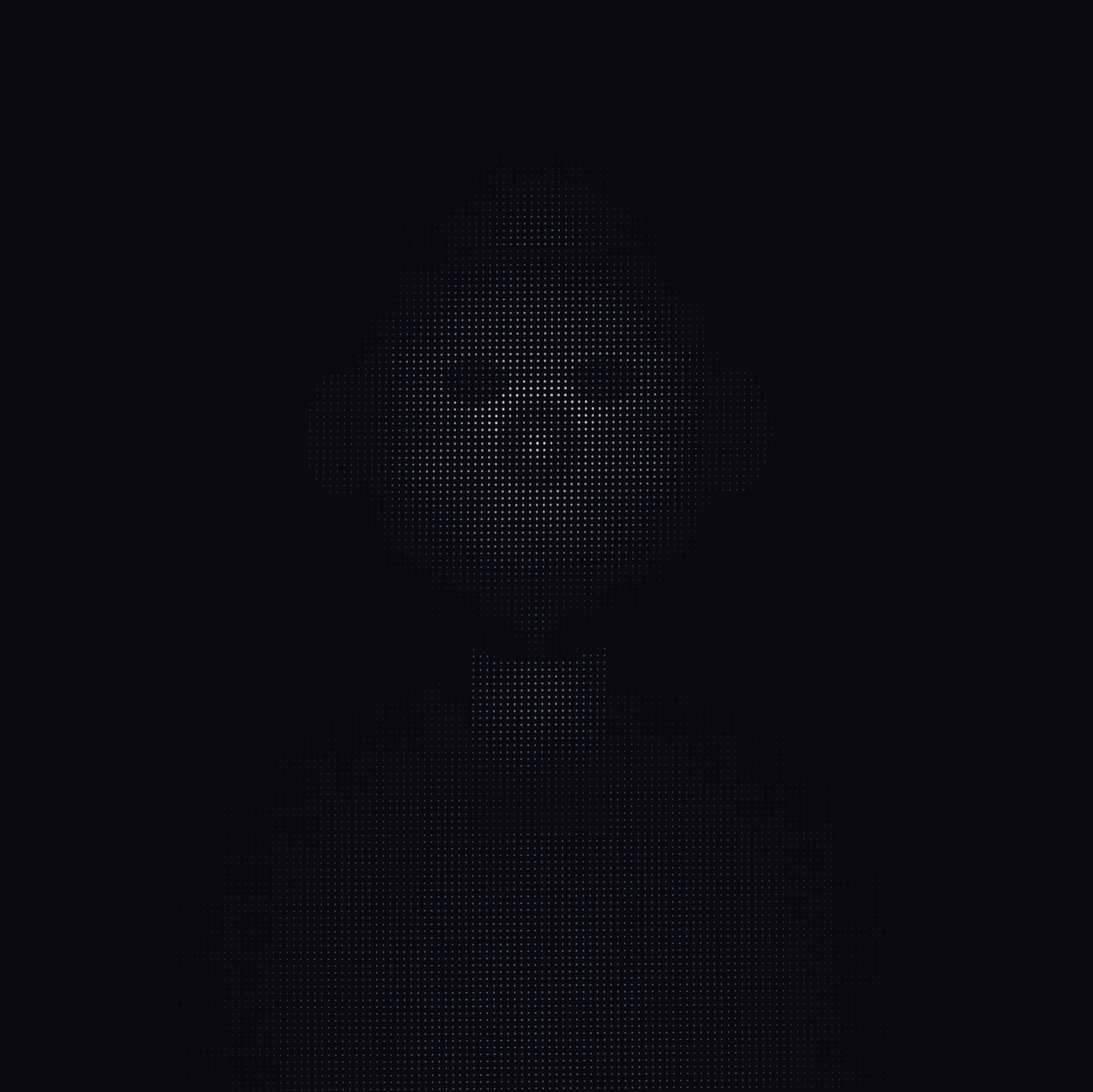
V1
Started with a simple prompt and asked for a human portrait placeholder - pretty impressive but equally terrifying - is this what Claude thinks humans look like
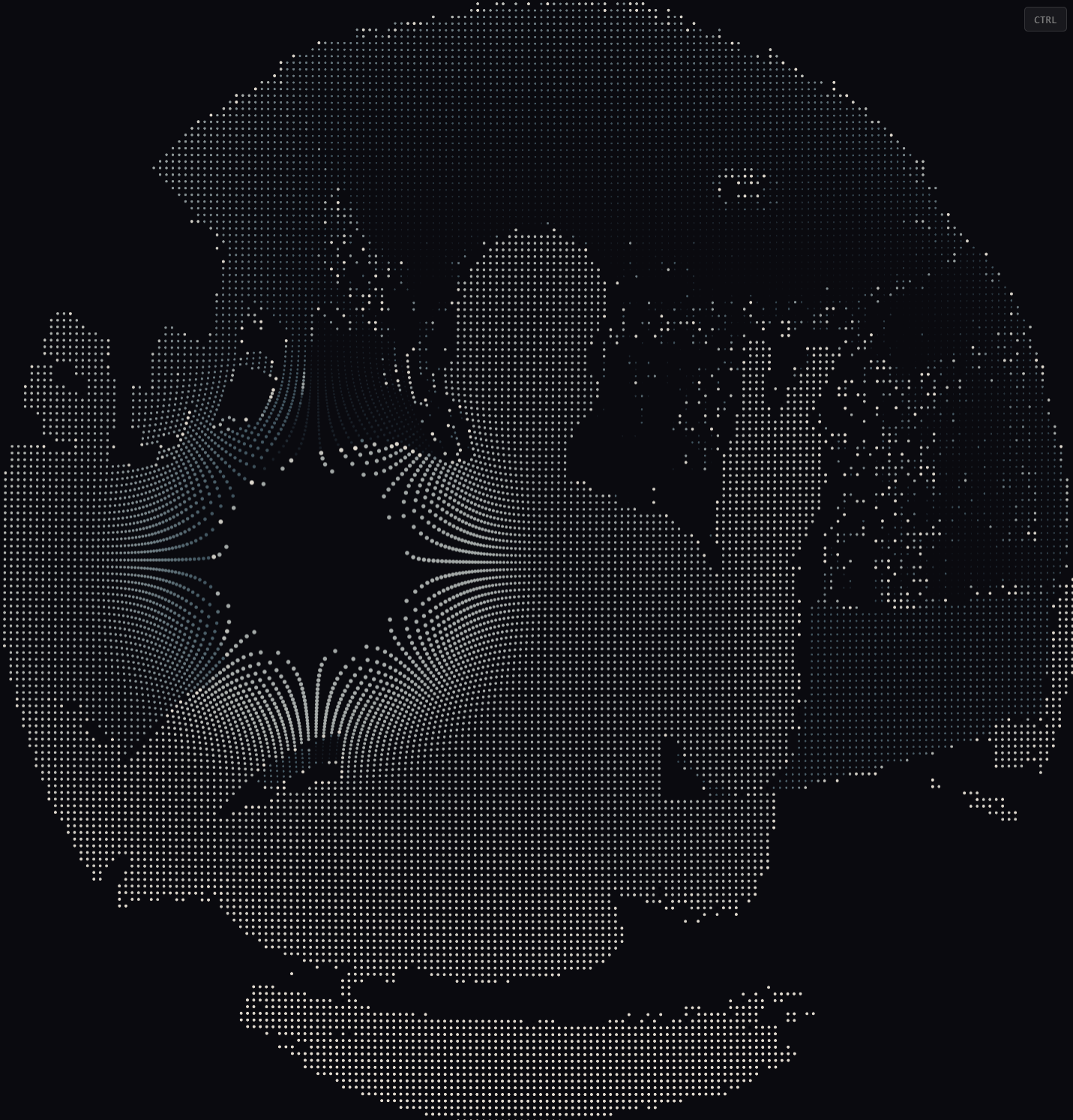
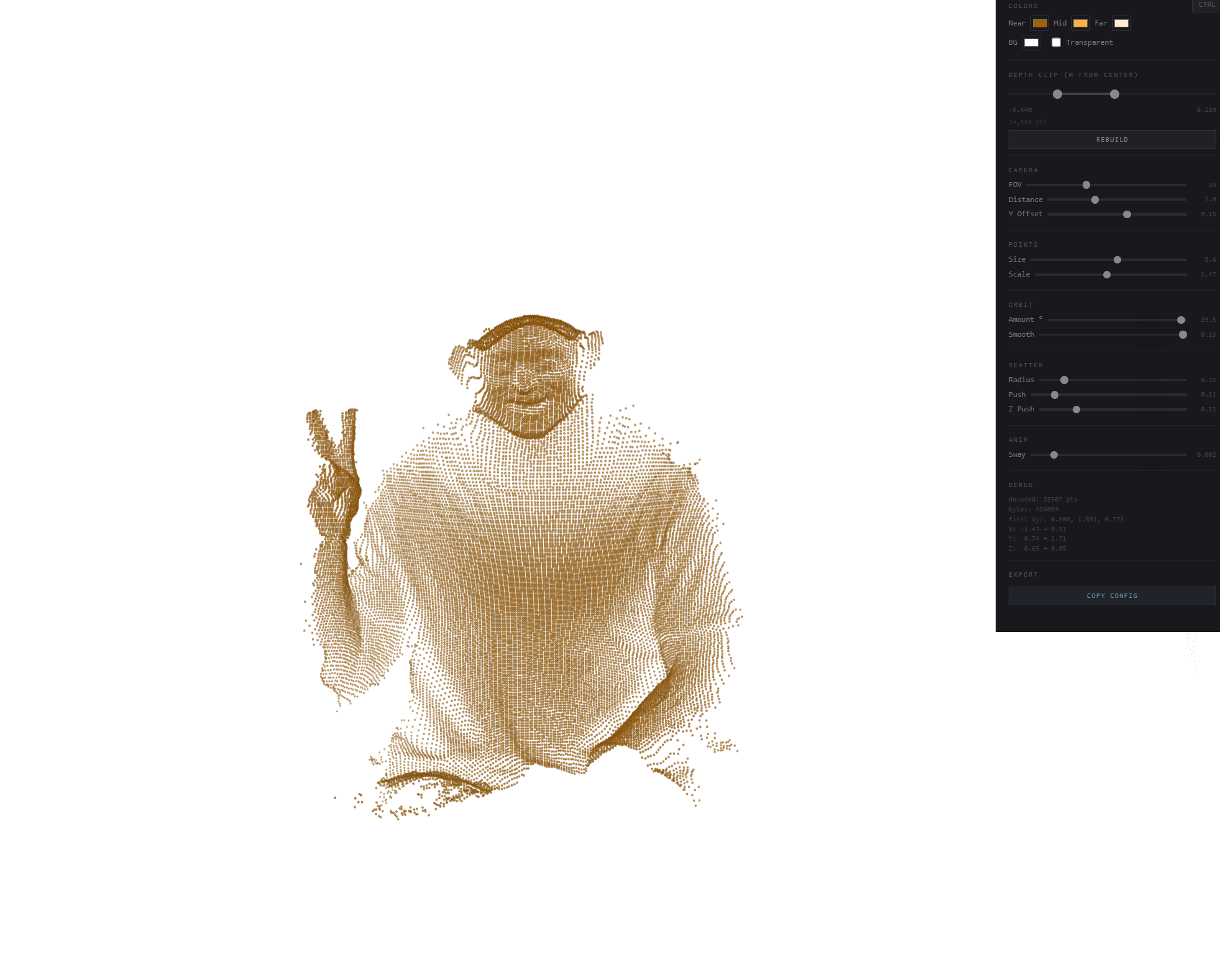
V2 - V3
integrating the Kinect depth image mapped onto a grid of WebGL point sprites with depth-based Z offset. The result was flat and mechanical. Switching to the actual 3D point cloud export from TouchDesigner (XYZ positions in float32 EXR) transformed the piece from a depth-textured plane to a genuine volumetric object with correct parallax and geometry.
v4 → v6: Interaction refinement
Early mouse interaction pushed points in 2D screen space, creating a funhouse mirror effect at rest (cursor defaulting to center deformed the entire cloud). Fixed by tracking mouse presence as a continuous 0–1 activity value with exponential easing, so the default state is completely neutral. Exposing more variables and controlling them via sliders to get them to a staring stop - instead of pixel picking by typing in small float values this method is something I use as a VJ - an effect gets a midi map to an empty dial but only temporarily - once its dialed in then unmap it and i have my “dialed in“ version as the default static number
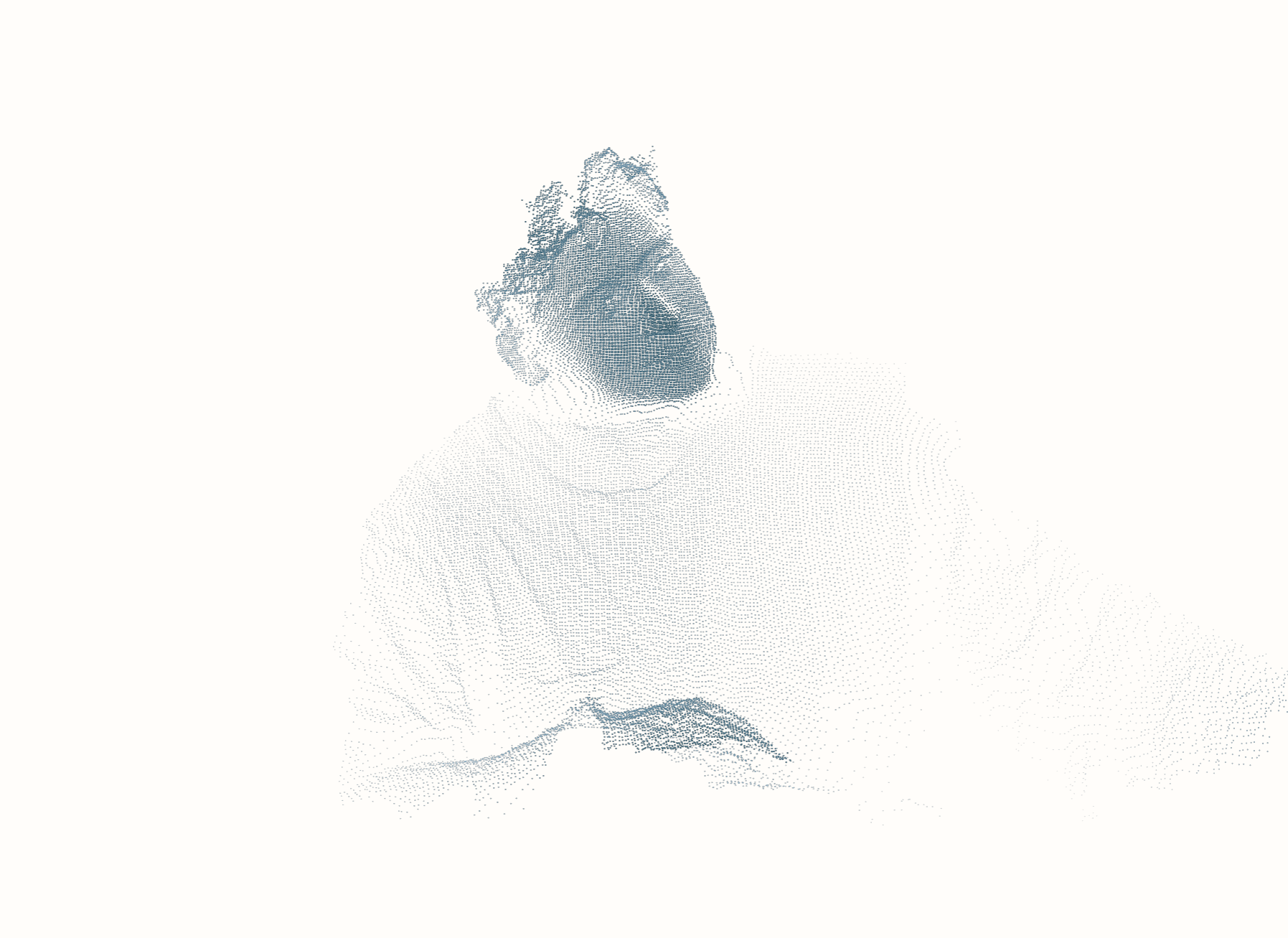
Final: Clarity and deployment
Stripped the three-color gradient to two colors. Added a secret easter egg interaction 😉👆👆 Tuned the final configuration for a piece that feels intimate and considered rather than flashy. Deployed to GitHub Pages and embedded on Squarespace.
Result
A 254KB self-contained HTML file rendering ~30,000 real-world 3D points from an Azure Kinect volumetric capture. Transparent background, reactive to mouse and touch, with ambient camera breathing, exponential easing on all transitions, a hidden dissolve easter egg, and mobile optimization with tap-and-hold interaction. Hosted on GitHub Pages and embedded on a Squarespace homepage via viewport-relative iframe.
No dependencies. No build step. No external libraries. Just a single HTML file with inline WebGL shaders, a base64-encoded point cloud, and the interaction system — running at 60fps in any modern browser.
Thanks for reading - if you made it this far congratulations you get secrets and free downloads go make your own - Id imagine this still works very well with a cheaper kinect v2
ctrl+shift+K will expose the custom parameters ✌️🎛️🎚️
Try giving me a double click 💥
GitHub Project (bring your own scan) & Kinect Azure touchdesigner photobooth network
Real-Time Point Cloud Rendering for Web
Mitch Stomner — MECHANE · mechane.co
Disciplines: Creative Direction, Volumetric Capture, Real-Time Systems, WebGL, Interaction Design, Motion Design
Tools: Azure Kinect DK, TouchDesigner, WebGL/GLSL, JavaScript, GitHub Pages, Squarespace, Claude AI (Anthropic)
Timeframe: Single extended session, concept to live deployment